✔✔ Save & Install
for more Games
for more Fun
to Enjoy

5
12456 Games
4
5959 Games
Arcade
4503 Games
Puzzle
4045 Games
15
3068 Games
2
2607 Games
Girls
2566 Games
Action
2279 Games
1
1719 Games
Adventure
1457 Games
Casual
1437 Games
8
1424 Games
19
1058 Games
Racing
1015 Games
Kids
705 Games
Shooter
583 Games
Hypercasual
444 Games
Hyper-casual
444 Games
Shooting
386 Games
3D
376 Games
Stickman
368 Games
WARNING: THIS GAME IS VERY COMPLICATE
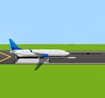
When starting the simulator, you will see a configuration screen. Set everything to desired values.
Click [show] in the keybinds section to see all the controls which are similar to previous simulators. They can also be edited here with the edit button.
[W], [S] - Increase/decrease thrust
[←], [→] - Elevators
[Q], [A] - Increase/decrease flaps by 1 notch
[E], [D] - Increase/decrease spoilers (multiple modes)
[G] - Toggle landing gear
[B] - Increase wheel brakes
Other useful keys:
[P] - Pause
['] - Play one frame
[-] - Zoom out
[=] - Zoom in
[/] - Toggle mouse controlled yoke (pitch)
[[] - Set zoom to 10%
[]] - Set zoom to 60%
[] - Toggle audible alarms (e.g. GPWS)
[.] - Toggle elevator automatic reset
[R], [F] - Increase/decrease elevator trim
[T] - Toggle TO/GA
[M] - Toggle audio
[I] - Toggle extra buttons panel
[4]-[7] - Switch between FMC displays
[Click and drag vertically on IAS dial] - Change A/T IAS target Flight Simulator 737-800, 737-800, Flight Simulator Controls, Airplane Simulator, Flight Simulator Tutorial, Simulator Guide, Aviation Simulation, Flight Controls, Aircraft Controls, Flight Dynamics, FMC, GA/TO, Yoke Control